


Table of Contents
Introduction
If you own a BMW and your navigation system is showing old roads or missing new routes, there is a good chance you need a BMW nav codes update. A lot of BMW owners across the US run into this issue and the fix is simpler than most people think. You do not need to go to a BMW dealership and pay high fees. All you need is the correct FSC code for your BMW and the latest navigation map data and you are good to go.
This article walks you through what BMW nav codes are, how BMW FSC codes work, how to find the right fsc code bmw by VIN and what your best options are for a BMW navigation update in 2026.
The Role of FSC Codes in BMW Navigation System Updates
A BMW nav code is better known in the BMW world as an FSC code. FSC stands for Feature Software Certificate. It is a unique activation code that your BMW iDrive system uses to activate a specific map version on your head unit. Without a valid FSC code, your BMW will not accept any new map data, even if you load the right files onto a USB drive.
Think of the FSC code as a digital key. It tells your BMW that the navigation map you are trying to install is genuine and approved. Without it, the software on your head unit will reject the update. This is why getting the correct BMW FSC code matters before you even touch the map update process.
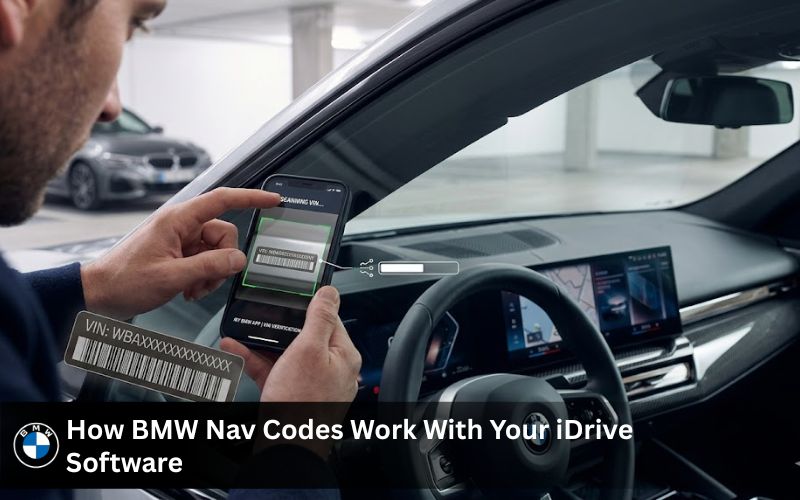
How BMW Nav Codes Work With Your iDrive Software
Your iDrive system runs on a specific software version tied to your head unit type. When you want to update the maps, the system checks whether the FSC code you provide matches the map version and VIN of your vehicle. This is how BMW keeps OEM quality control in place.
The FSC codes BMW uses are not generic. Each code is tied to a specific nav system type, whether that is CIC, NBT or NBT EVO. Your BMW reads the firmware on the head unit, matches it against the FSC code and only then accepts the map upgrade.
BMW Nav Codes List: What Each Code Type Does for Your Vehicle
Not all BMW nav codes are the same. The type of fsc code bmw you need depends on which navigation system your car came with from the factory. Here is a breakdown of the main code types used across BMW and MINI vehicles.
| Code Type | What It Does |
| FSC Code | Activates navigation map data on your iDrive system |
| Lifetime FSC Code | One time entry that never needs replacing again |
| NBT EVO Code | Used for NBT EVO ID5 and ID6 head unit systems |
| CIC Code | Compatible with older CIC navigation head units |
| OEM FSC | Factory issued code tied to your specific VIN |
| Map FSC Code | Paired directly with the map version being installed |
BMW Nav Codes by VIN: Find the Right FSC Code for Your BMW
One of the most searched topics among BMW owners in the US is how to get BMW nav codes by VIN. Your VIN is the most reliable way to confirm which FSC code your vehicle needs. It tells you the exact head unit type, the navigation system installed at the factory and the correct map version that is compatible.
How to Decode Your VIN to Get the Correct BMW Nav Code
Your VIN is a 17 character string located on your dashboard or inside your driver door. When you use a proper decoder, it tells you whether your BMW has a CIC, NBT or NBT EVO system installed. This is the first step before you generate or purchase any BMW FSC code.
At Bimmer Navi Updates, you can simply share your VIN with the support team and they will identify the correct fsc code for your specific vehicle. No forum searching. No guessing. Just fast, accurate results.
BMW FSC Code by VIN: Step by Step Breakdown
Here is how the BMW FSC code by VIN process works in simple steps. First, locate your VIN on your vehicle. Then share it with a reputable provider like Bimmer Navi Updates. The team uses a decoder to identify your head unit type and your map version compatibility. After that, a verified FSC code is generated and sent to you. You install it via USB using the included instructions.
| BMW Series | VIN Identifier | Compatible Nav Code |
| 1 Series | WBA / WBS prefix | NBT or CIC FSC Code |
| 3 Series | WBA prefix | NBT EVO ID4 or ID5/ID6 |
| 5 Series | WBA / WBS prefix | NBT EVO ID5/ID6 |
| 7 Series | WBA prefix | NBT EVO ID6 |
| X Series (X1 X7) | WBA / WBX prefix | NBT or NBT EVO FSC |
| MINI Cooper | WMW prefix | CIC or NBT FSC Code |
BMW FSC Code Free vs. Paid: What You Need to Know
A lot of BMW owners search for a BMW nav codes free option or a BMW FSC code free download. While this is understandable, it is worth knowing what those options actually deliver before you go that route.
BMW Nav Codes Free Options: What Is Available and What Is Not
There are some older FSC codes floating around on forum threads and certain websites. Some may work on very old BMW models from 2013 or earlier, but for anything running NBT EVO or a 2024 or 2025 map version, free codes simply do not work. The software on newer iDrive systems is encrypted and paired to your VIN. A random code from a forum will not pass that check.
Some BMW FSC code free generators online claim to create working codes but most produce fake code strings that your head unit rejects instantly. Using a fake code does not damage your BMW but it wastes your time and can leave your navigation in a broken state temporarily.
BMW FSC Code Free Claims: Risks and What to Watch Out For
If you see a generator tool on a site or read about obd tricks to bypass BMW nav codes, be careful. Most of these methods do not work on modern BMW systems and some require you to download software or a zip file from unknown sources. A third party tool that claims to read fsc codes from your laptop may carry security risks.
The one time purchase of a verified BMW FSC code from a reputable seller like Bimmer Navi Updates is far safer. You get a real activation code backed by a support team and warranty. No pdf guides from unknown ebay seller accounts. No risks.
BMW Nav Codes FSC: Types, Formats and Compatibility
FSC Code BMW Explained: NBT, EVO ID4, ID5 and ID6
The fsc codes bmw systems use vary depending on the age and model of your car. The three main navigation systems across BMW and MINI vehicles are CIC, NBT and NBT EVO. Each one uses a different FSC code format and is not cross compatible. Installing a new fsc meant for an NBT EVO ID5 system on a CIC unit will not work.
Bimmer Navi Updates covers all these systems. Whether you need an oem fsc for an older CIC car or a map fsc code for a newer NBT EVO ID6 system, the team matches you to the right activation code every time.
| System Type | FSC Code Format | Compatible BMW Models |
| CIC | 8 digit alphanumeric | Older 1, 3, 5, X3, X5 Series (pre 2013) |
| NBT | 16 character code | 2013 2016 BMW and MINI models |
| NBT EVO ID4 | Longer encrypted string | 2016 2018 BMW models |
| NBT EVO ID5/ID6 | VIN specific encrypted | 2018 2024 BMW and MINI |
BMW FSC Code CarPlay: Does Your BMW Support It?
This is a common question. Many BMW owners want to know if a BMW FSC code can also activate carplay or apple carplay on their vehicle. The answer depends on your head unit and iDrive software version.
For some BMW models, apple carplay can be activated through a software upgrade or a cable coding session. Bimmer Navi Updates offers BMW software coding services that include bluetooth and apple carplay activation on compatible vehicles. If you are unsure whether your car supports it, share your VIN and the support team will confirm compatibility before you buy.
FSC Code Map
-
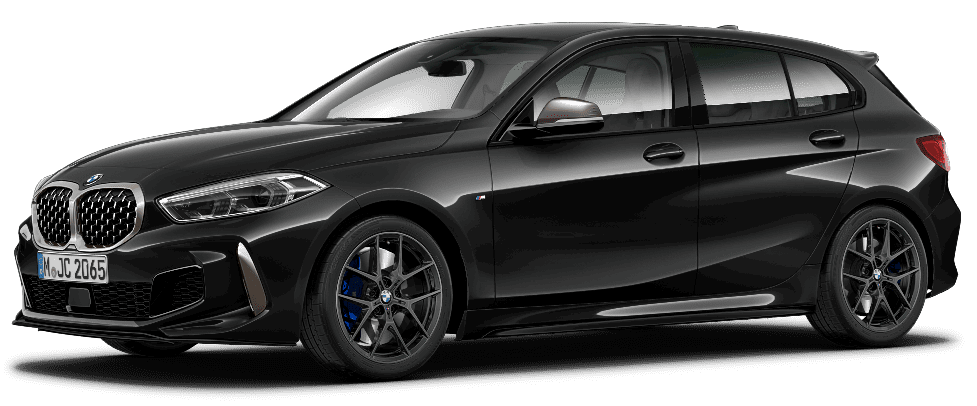
BMW 1 Series
Price range: $ 44.99 through $ 74.99 -
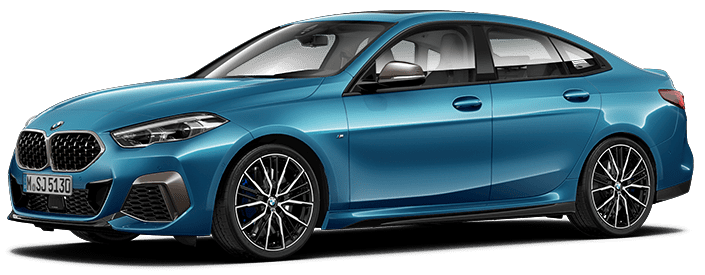
BMW 2 Series
Price range: $ 44.99 through $ 74.99 -
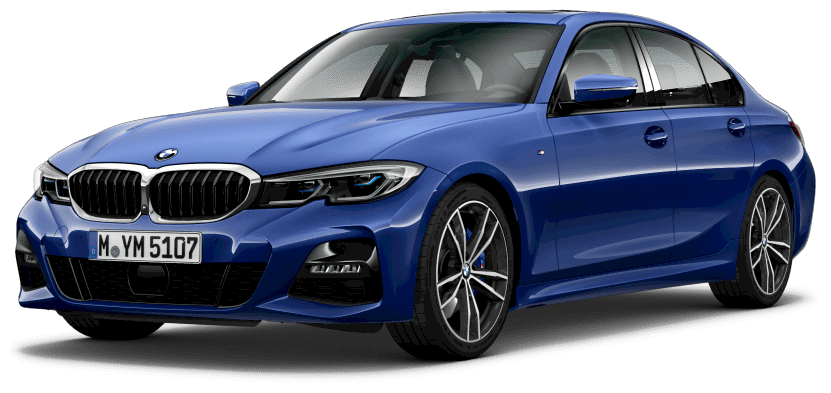
BMW 3 Series
Price range: $ 44.99 through $ 74.99 -
BMW 4 Series
Price range: $ 44.99 through $ 74.99
Activate Your BMW Navigation: Our FSC Code and Map Update Products
FSC Code and Feature Installer: Full Nav Code Solution for BMW
This is the go to package for BMW owners who need a complete solution. The FSC Code and Feature Installer from Bimmer Navi Updates gives you a verified BMW FSC code along with full feature activation support. It works across multiple BMW systems including NBT, NBT EVO ID4 and ID5/ID6.
The process is simple. You share your VIN with the team. They identify your head unit type and send you the correct fsc code matched to your map version. From there you install via USB using step by step instructions included in the package. It is a fully one time purchase that gets your navigation working with the latest 2026 map data.
BMW FSC Code for Navigation System Updates: How It Powers Your Map Upgrade
When it comes to a proper bmw navigation update, the FSC code is the starting point. This product page covers exactly how use fsc codes work within your BMW iDrive system and how they connect to your map upgrade process.
You will learn how the map fsc ties into the navigation activation code system, what makes an oem fsc different from a third party code and why BMW built this software authentication into every bmw map update.
BMW FSC Code: All Models and Systems Covered: Find Yours Now
This is the main BMW FSC code page at Bimmer Navi Updates. It covers all BMW and MINI models from the 1 Series to the 7 Series, X Series and Z Series along with electric models. Whether you need map fsc codes for a 2024 or a 2025 model year, this page has every option laid out clearly.
All fscs listed here are OEM quality codes matched by VIN to your specific BMW. You do not have to worry about compatibility issues or getting a fake code.
Features and Benefits of Getting Your BMW Nav Code From Us
Lifetime FSC Code: Enter Once and Never Buy a Code Again
One of the biggest advantages Bimmer Navi Updates offers is the lifetime fsc code option. Once you enter a lifetime code into your BMW, you will never need to buy another FSC code again. Every future BMW map update only requires new map data, which the team sends you as a download link or USB package.
This makes the lifetime fsc code a smart one time investment. You pay once and keep updating your navigation map year after year without ever touching another activation code.
Compatible With All BMW Series: 1 to 8, X, Z, i and MINI
Bimmer Navi Updates covers the full range of BMW and MINI vehicles. From the BMW 1 Series and 3 Series to the X5 and X7, from the Z3 and Z4 to the i3 and i4 and from the MINI Cooper to the BMW 8 Series, every model is supported.
Whether your car runs a CIC system from 2012 or the latest NBT EVO ID6 from 2024, there is a correct fsc code and map upgrade ready for it.
Latest 2026 Map Data Included: NEXT, EVO, Premium and More
When you update the maps through Bimmer Navi Updates, you get access to the most recent navigation map versions available for your region. For US BMW owners, the available map versions cover all major roads, highways and points of interest with accurate 2026 data.
| Map Version | Region Supported |
| NEXT 2025 | North America |
| Premium 2023 | North America |
| EVO 2024 | North America and Europe |
| Way 2024 | North America |
| Route 2024 | North America |
| Live 2024 | North America |
BMW Navigation Upgrade Made Easy: USB or Download in Minutes
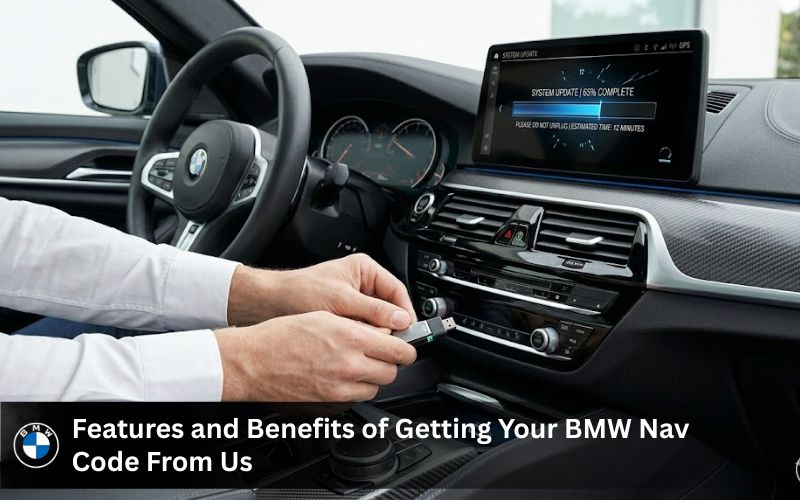
There are two ways to get your bmw navi update from Bimmer Navi Updates. The first is a digital download. After placing your order, you receive an email with a download link. You copy the files to a USB drive and follow the included instructions to install on your BMW. The second option is a pre loaded USB package that works plug and play.
Either way, the BMW update navi process takes between 5 and 30 minutes depending on your system. The support team is available 24/7 if you run into any issue during install.
BMW Map Update and Navi Update: What Changes After You Apply Your FSC Code
What a BMW Navigation Update Fixes on Your iDrive System
Once you apply your BMW FSC code and install the latest navigation map, several things change on your iDrive system right away. New roads that were built in 2024 or 2025 now appear on your screen. Speed limit data gets refreshed for your area. Points of interest like gas stations, restaurants and rest stops are updated to reflect current locations.
Beyond the map data itself, a bmw navigation update can also improve route calculation speed. Older map version files slow down route processing on some head unit types.
BMW Map Update vs. BMW Navi Update: Knowing the Difference
These two terms are often used interchangeably but they mean slightly different things. A bmw map update refers specifically to updating the road and map data on your existing system. A bmw navi update can refer to a broader process that includes firmware changes or software updates to the head unit itself.
| BMW Map Update | BMW Navi Update |
| Updates road data and map version only | Full system refresh including software firmware |
| Delivered via USB or download link | May require OBD cable or USB package |
| Takes 5 to 30 minutes to install | Can take longer depending on system version |
| Tied to your current FSC code | May need a new FSC code if system changes |
| Works on same head unit | Can involve head unit software upgrade |
BMW Update Navi via USB: How the Process Works After Code Entry
After you receive and activate your BMW FSC code, the next step is to install the map data itself. You copy the downloaded files or use the pre loaded USB drive and plug it into your BMW nav port. Your iDrive system detects the USB and prompts you to begin the update the maps process.
The software verifies the FSC code you entered earlier and then begins writing the new map version to the head unit. During this time your car should remain on or in accessory mode. Once complete, your BMW navigation restarts with the new map data fully loaded and ready to use.
What BMW Owners Are Saying: Real Customer Reviews
Sarah P.: Navigation Update Ran Smoothly From Start to Finish
Sarah from the US shared that the bmw navigation update process was straightforward from the moment she placed her order. She received her FSC code quickly and the step by step instructions made the install easy. She added that everything has been running smoothly since the map update.
Mike: More Accurate Maps, Faster System and No More Detours
Mike mentioned that after getting his bmw map update, the new maps became much more accurate. He lives in a growing area with new roads being built regularly and the updated navigation map has helped him avoid detours and get better routes. He also noticed the iDrive system felt faster overall.
Jack David: Directions Are Reliable and the System Feels Current
Jack said that after applying his bmw fsc code and loading the latest map version, everything feels current. The directions are reliable and he has noticed that the system no longer suggests outdated routes. He called it a simple but worthwhile upgrade that any BMW owner should do.
Why BMW Owners Across the US Choose Bimmer Navi Updates
Authentic BMW Maps Not Third Party Workarounds
Bimmer Navi Updates does not sell third party map data or fake activation code strings. Every bmw fsc code and every map upgrade sold through the site is OEM quality and verified against your VIN. You are getting the same data your dealer network uses, delivered directly to you at a better value.
Unlike ebay seller listings that offer unverified codes or pdf instructions with no real support team behind them, Bimmer Navi Updates stands behind every product it sells.
24/7 Expert Support: Real Help When You Need It
Whether you get stuck during install, have a question about which FSC code matches your VIN or need help with a cable coding session for apple carplay, the support team at Bimmer Navi Updates is available around the clock. You can reach out via chat and get a real answer, not an automated reply.
BMW Map Region Change: Even for Imported BMWs
Bought a BMW from another country and the maps are set to map europe instead of North America? That is a common situation and Bimmer Navi Updates can fix it remotely. The team can change your navigation map region by generating a new FSC code tied to the correct region for your VIN.
Free Worldwide Delivery on Every Order
Every order placed through Bimmer Navi Updates ships free. Physical USB package orders go out from London and typically arrive within 2 to 7 business days. Digital bmw nav codes and download links arrive via email right after payment is confirmed. No hidden fees and no surprise charges at checkout.
Frequently Asked Questions
1. What is a BMW FSC Code?
A BMW FSC code is a digital key used to activate features like navigation map updates or Apple CarPlay. It connects with your VIN and validates software access in the iDrive system.
2. How do BMW nav codes work?
BMW nav codes work by verifying your vehicle data during a BMW navigation update. Once entered via USB or iDrive, the system accepts the update and activates new map data.
3. Are BMW nav codes safe?
BMW nav codes are safe when sourced from a trusted provider or OEM dealer. I’ve seen issues only when users try random or fake codes that fail during activation.
4. Are BMW nav codes free?
BMW nav codes are rarely free unless bundled with a new vehicle or dealer package. Most valid BMW FSC codes require payment due to licensing tied to map updates.
5. What BMW nav codes do I need?
You need BMW nav codes that match your head unit like CIC, NBT, or NBT Evo. The correct FSC code BMW depends on VIN, region, and current map version.
6. Why are BMW nav codes not working?
BMW nav codes may fail due to incorrect VIN input, wrong map version, or expired FSC code. In my experience, mismatch between software and code is the main cause.
7. Where are BMW nav codes located?
BMW nav codes are not stored visibly in the car but are generated based on VIN and head unit data. They are entered during installation of BMW map update via USB.
8. How to get a BMW FSC code?
You can get a BMW FSC code from a dealership, reseller, or generator tool using VIN. I usually recommend verified sellers to avoid invalid activation code issues.
9. How to identify the correct BMW FSC code for your car?
Check your iDrive version, map type, and VIN to identify the right FSC code BMW. Matching NBT or CIC system details helps avoid errors during BMW update navi.
10. Can one FSC code work for multiple BMW cars?
No, one FSC code is linked to a single VIN and cannot be reused. Each BMW vehicle requires its own BMW FSC code for navigation activation or map upgrade.
Get Your BMW Nav Code Today: Start Your Map Update Now
Ready to Update Your BMW Navigation? Here Is Your Next Step
Getting your BMW nav codes sorted does not have to be complicated. Head over to Bimmer Navi Updates, select your BMW model and year and add the right fsc code bmw package to your cart. The support team will confirm your VIN and head unit type before processing your order to make sure you get the correct fsc code every time.
Whether you need a lifetime fsc code, a one time bmw map update, a bmw navi update via USB or a software coding session for apple carplay or bluetooth, everything is available in one place. Your BMW navigation deserves accurate and current map data and Bimmer Navi Updates makes that easy to get.
Contact Bimmer Navi Updates: We Will Match You to the Right FSC Code
Have questions before you order? Reach out to the team directly. You can contact Bimmer Navi Updates by phone at +44 7404 249783 or by email at Bmwnavigationsupdates@gmail.com. The support team is ready to help you find the right BMW nav codes, confirm compatibility with your VIN and get your bmw navigation update completed as smoothly as possible.