


Table of Contents
If you have ever fired up your BMW’s navigation only to find it routing you down a road that no longer exists, you already know how frustrating an outdated map can be. The good news is that learning how to update BMW navigation for free is simpler than most drivers think. Whether you drive a newer model with over the air capability or an older one that relies on a USB method, there is a real path to getting your BMW navigation maps current without overpaying. This blog walks you through every method available, what you actually need and how Bimmer Navi Updates makes the whole process straightforward for US BMW owners.
Why Your BMW Navigation Map Needs a Regular Update
Roads in the US change constantly. New highways open, old ones get rerouted and construction zones pop up across entire regions. When your BMW navigation map is running on old map data, the system has no way of knowing about any of those changes. That creates a real problem for your daily drive.
How Outdated BMW Navigation Maps Affect Your Drive
An outdated BMW navigation system does more than send you the wrong way. It wastes your time, burns extra fuel and adds unnecessary stress to every trip. When your map version is behind by a year or more, your BMW iDrive cannot show you accurate points of interest, updated speed limits or the newest road layouts. The display in your cabin may look sharp but the data behind it is working against you.
Drivers who keep their BMW maps current get better routing, more accurate arrival times and a smoother overall experience behind the wheel. The functionality of your navigation system is only as good as the map data powering it.
How Often Are BMW Map Updates Released?
BMW releases BMW map updates on a rolling schedule, typically once or twice a year depending on the region. For North America, the latest BMW map releases come through the ConnectedDrive platform and are also made available for USB installation. Checking for availability of a new map version every six months is a good habit that keeps your BMW navigation system running at its best.
Are BMW Navigation Map Updates Really Free? Here’s the Truth
BMW Navigation System Update Free — What BMW Actually Offers
BMW does offer select BMW navigation system update free options through its Remote Software Upgrade program. Vehicles running Operating System 7 or later with an active ConnectedDrive subscription can receive certain software update packages at no added charge. These updates can enhance your map coverage, fix system errors and add new capability to your BMW navigation setup.
However, not every map release is included in the free tier. Full regional map download packages and premium maps with 3D display detail often require a separate purchase. That is where knowing your options matters.
BMW Navigation Update Free via Remote Software Upgrade — Who Qualifies?
The BMW Remote Software Upgrade is available on vehicles equipped with Operating System 7 and above. If your car has this software, you can receive over the air updates through your BMW iDrive menu without touching a USB stick or USB drive. The latest release, Upgrade 26 03, adds proactive navigation powered by AI and enhanced BMW maps for qualifying models.
To check if your vehicle qualifies, go to your iDrive settings, open the software update menu and check the remote upgrade section. Your VIN will determine availability.
How to Update BMW Navigation for Free — All Methods Explained
How to Update BMW Navigation for Free via ConnectedDrive Portal
The ConnectedDrive portal is BMW’s official online platform for managing your vehicle‘s connected services. To use it for a BMW navigation update free, follow these steps.
First, visit the BMW ConnectedDrive portal and log in using your My BMW account. Enter your VIN to pull up your specific vehicle profile. From there, go to the map update section and check what map releases are available for your model. If a free map download is listed, select it and follow the on screen prompts.
Once the download is complete, your system will either push the map data wirelessly to your car or provide a download link to transfer via USB.
| Step | Action | Method |
|---|---|---|
| 1 | Log into ConnectedDrive portal | Online via My BMW login |
| 2 | Enter your VIN | Identifies your vehicle and map compatibility |
| 3 | Check map update availability | Confirms free or paid options |
| 4 | Download map data | Via OTA or USB drive |
| 5 | Install in vehicle | Follow iDrive prompts |
BMW Map Update USB — Step by Step Free Download Method
The BMW map update USB method is one of the most reliable ways to update your BMW navigation maps, especially if your car does not support over the air updates. Here is how it works.
Start by grabbing a USB drive with at least 32 GB of space. Format it to FAT32 using your computer’s disk management tool. Then log into the BMW download portal, enter your VIN and select the correct map package for your region. Place the downloaded files into the root folder of the USB stick without creating any subfolders.
Once the files are ready, insert the USB into your BMW‘s USB port, usually found in the center console. Start your vehicle, open the iDrive menu and navigate to the map update section. Follow the on screen prompts and the installation will begin automatically.
| USB Requirement | Detail |
|---|---|
| Minimum storage size | 32 GB |
| File format | FAT32 |
| File placement | Root directory only |
| Vehicle engine | Must stay running during install |
| Compatible port | Center console USB port |
How to Update BMW Navigation for Free Online Using BMW Download Manager
The BMW download manager is a desktop application that helps you download map files directly to your computer before transferring them via USB to your vehicle. It is especially useful for larger premium maps packages that need a stable connection.
After installing the BMW download manager, sign in with your My BMW login. Select your vehicle using your VIN and browse the map releases available. The tool will manage the download and organize the files correctly for your USB transfer. This method keeps the installation process clean and reduces the chance of a corrupted map file causing an error during the update.
BMW Software Update Download — How to Get It Without Paying
Some BMW software update download packages are available at no charge through the ConnectedDrive portal. These typically cover software improvements to your BMW navigation system rather than full map content. To access them, log into your My BMW account, go to the remote software update section and check what is listed under availability for your specific vehicle.
The key is knowing the difference between a software update and a full map update. A software update improves how your BMW navigation system runs while a map update refreshes the actual road and points of interest data inside the BMW navigation map.
My BMW App Download — Free Navigation Update via iOS and Android
The My BMW app is available as a free download on both iOS and Android. Once installed, it connects directly to your BMW and lets you monitor remote software update availability from your phone. For drivers who want to update BMW navigation without sitting in front of a computer, this mobile option is genuinely useful.
Through the app you can check your current map version, receive prompts when a new map release is ready and initiate certain remote updates directly. The my BMW app is free to use and pairs seamlessly with the ConnectedDrive platform.
How to Update BMW Navigation for Free 2026 — Latest Remote Upgrade 26 03
The newest release for how to update BMW navigation for free 2026 is Upgrade 26 03. This remote software update brings enhanced BMW maps, proactive navigation powered by AI and improved 3D display accuracy to compatible vehicles. It is one of the most detailed map and software packages BMW has released and it is available to qualifying owners at no extra charge.
To access it, open your iDrive menu, go to remote software update and follow the prompt. Your vehicle will handle the rest. The process takes about 30 to 90 minutes depending on your connection and your BMW navigation system will be fully refreshed afterward.
BMW FSC Code — The Key to Activating Your Free Navigation Map Update
Even after you download the correct map files, your BMW navigation system needs an activation code before it accepts the new map data. That code is called an FSC code.
What Is an FSC Code and Why Does Your BMW Navigation Need It?
An FSC code is a unique 20 digit code that tells your BMW navigation system it is authorized to use a specific map release. Without the right FSC code, the installation will not complete and your BMW navigation will reject the map update. Every map version needs its own corresponding FSC code to activate properly.
How to Generate Your FSC Code from Your BMW Head Unit
To generate an FSC code yourself, you need access to eSys software and an ENET cable that connects your laptop to your BMW‘s OBD port. This is the DIY method that some technically experienced drivers use to extract their FSC files from the head unit directly.
Here is the basic process. Connect your laptop to your BMW using the ENET cable. Open eSys and read out the FSC files stored in your head unit. The software will show you the existing FSC code linked to your current map version. From there you can use a compatible FSC generator tool to generate a new code for your next map release.
| FSC Code Method | Tool Required | Technical Level |
|---|---|---|
| eSys extraction | ENET cable + eSys software | Advanced |
| BMW ConnectedDrive | My BMW login + VIN | Easy |
| Bimmer Navi Updates | VIN + order form | Easy |
This method requires solid technical knowledge and the right hardware. One wrong step can cause an error in your head unit that is difficult to reverse. For most drivers, getting an FSC code through a trusted provider like Bimmer Navi Updates is far less risky and takes only a few minutes.
BMW F30 Map Update Free Download — FSC Code Method Explained
The BMW F30 is one of the most popular models in the US and its NBT head unit uses a specific FSC code structure. For a BMW F30 map update free download, you need to match the correct FSC code to your NBT system and your target map version.
The NBT system supports CIC style map formats and uses FSC files to verify each map release before installation. If the FSC code does not match the map package exactly, your BMW iDrive will reject the map update and display an error prompt.
BMW Map Update Free Download — What Files You Actually Need
For a complete BMW map update free download, you need three things. The map data files for your region, the correct FSC code for that map version and a properly formatted USB stick. Missing any one of these will stop the installation before it finishes.
The map files for North America come in large packages and include updated road layouts, points of interest and premium maps content like 3D building display in select areas. Make sure you download the files that match your specific BMW navigation system whether it runs on NBT, CIC or the newer NBT Evo platform.
How to Check Your Current BMW Map Version Before Updating
Before starting any update, take a moment to check which map version is currently running on your vehicle.
BMW Navigation Map Version Check via iDrive — Quick Steps
Press the iDrive controller and open the menu. Go to Navigation then Settings and look for the option labeled Navigation System Version or Map Version. Your screen will display the current map release installed on your BMW navigation system. Compare that to the latest BMW maps release listed on the ConnectedDrive portal or the Bimmer Navi Updates website to see if an upgrade is available.
BMW Navigation vs. Google Maps — Which One Should You Use?
This is a question that comes up a lot among BMW drivers and the honest answer depends on what you need.
| Feature | BMW Navigation | Google Maps |
|---|---|---|
| Works without phone signal | Yes | No |
| Integrated with iDrive display | Yes | Limited |
| Real time traffic | Yes (with ConnectedDrive) | Yes |
| 3D map display | Yes (premium maps) | Yes |
| Points of interest updates | With map update | Continuous |
| Speed limit info on HUD | Yes | No |
| Offline map data | Yes | Limited |
| Business navigation | Yes | Yes |
BMW’s built in business navigation system is deeply integrated with your BMW iDrive display, your steering wheel controls and your vehicle‘s signal systems. It works without a phone signal and delivers detailed information right in your 3D display. Google Maps is excellent for real time data but it depends on your phone connection and does not integrate natively with your BMW navigation the same way the built in system does.
For daily commuting and short trips, Google Maps works fine. For long drives, road trips or areas with weak mobile signal, your BMW’s built in navigation map is the smarter choice and keeping it up to date makes all the difference.
Explore Bimmer Navi Updates — Premium BMW Navigation Map Packages
If the free methods are either unavailable for your vehicle or too technical to manage alone, Bimmer Navi Updates has you covered with affordable and straightforward options for every BMW model.
BMW Map Update USB — Ready to Install Navigation Maps for All Series
Bimmer Navi Updates offers a complete BMW Map Update USB solution that covers BMW models from 2010 to 2024 including the BMW 3 Series, 5 Series, X3, X5 and MINI Cooper. You select your model, place your order and receive either a pre loaded USB drive or a download link with full installation instructions.
The USB package includes the newest map data for North America with over 85,000 km of new roads and millions of updated points of interest. The files are organized and ready to go so all you need to do is plug the USB stick into your USB port and follow the prompts on your BMW iDrive display. No technical background needed and no guesswork.
This is the most straightforward option for drivers who want their BMW navigation maps current without spending time troubleshooting FSC files, eSys or map download portals.
BMW FSC Code and Feature Installer — Activate Your Navigation Map in Minutes
For drivers who already have map files but are stuck on the activation step, the FSC Code and Feature Installer from Bimmer Navi Updates is the answer. You provide your VIN and vehicle detail and the team generates the correct FSC code for your BMW navigation system.
This service covers NBT, CIC and NBT Evo head unit types and works for both one time map activations and upgrade packages. Once you receive your FSC code, entering it into your BMW iDrive takes less than two minutes. The whole process is remote and handled digitally so there is no need to visit a dealership or connect any hardware.
This is especially helpful for drivers with a BMW F30, imported vehicles or any BMW where the map region needs to change. Bimmer Navi Updates can also handle map region changes remotely using just your VIN and detail.
Maps for Lifetime FSC Customers — One Code, Lifetime of Free Map Updates
Already have a lifetime FSC code in your BMW? Then the Maps for Lifetime FSC Customers package is built specifically for you. Once a lifetime FSC code is entered into your BMW navigation system, you never need to buy another code again. All you need going forward is the map data itself.
Bimmer Navi Updates supplies the latest BMW maps for North America and other regions directly to lifetime FSC holders. You get the newest premium maps release with full map data for road changes, points of interest and 3D building layouts without having to deal with the FSC code process again.
This is the most cost effective long term option for BMW owners who want to update your navigation maps regularly without repeating the full activation process each time.
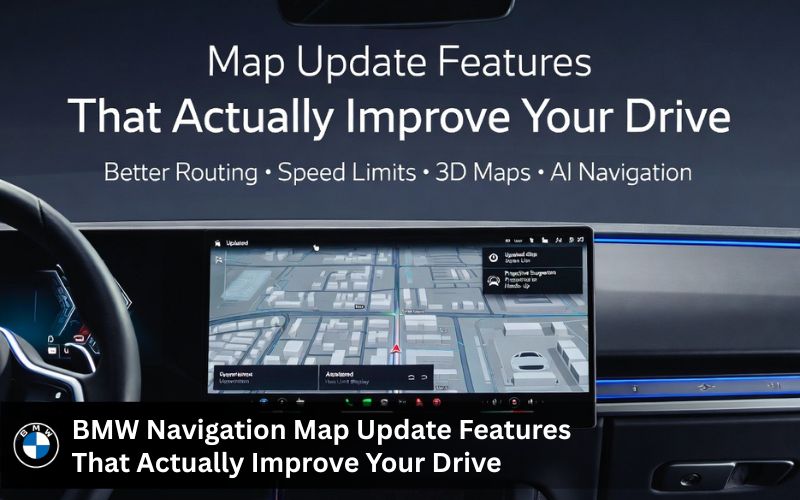
BMW Navigation Map Update Features That Actually Improve Your Drive
Updating your BMW navigation map is not just about fixing wrong turns. It brings real improvements to how your car communicates with you every day.
BMW Maps with Speed Limit Information — HUD and Instrument Cluster Support
When you update your BMW navigation maps to the latest map version, your system gains access to updated speed limit data for roads across North America. If your vehicle is equipped with a head up display or instrument cluster, your BMW navigation can show the current speed limit directly on your display without you having to check a sign. This capability is built into the map data and becomes active once the new map is installed.
Proactive Navigation Powered by AI — What the 2026 Remote Upgrade Adds
The 2026 remote Upgrade 26 03 introduces proactive navigation to compatible BMW models. This feature uses AI to predict your likely destination based on your driving habits and prompts you with route suggestions before you even open the menu. It is a meaningful upgrade to the BMW navigation system that makes the cabin experience feel genuinely smarter and more personal.
BMW Map Region Change — Update Navigation Maps for Any Country
If you bought a BMW that was originally sold in another country, the map region inside your head unit may be set for a different area. Bimmer Navi Updates can remotely change your BMW navigation map region using your VIN and vehicle detail. This means your BMW iDrive will display the correct maps for where you actually drive, with all the right road data and points of interest for your area.
BMW GPS Tracking App and ConnectedDrive Portal — Extra Features Included
The ConnectedDrive portal and the BMW GPS tracking app work alongside your BMW navigation to give you a fuller picture of your vehicle‘s status. Through the my BMW app, you can check your current map version, receive prompts about remote software update availability and even track your vehicle if needed. These are all free features included with a my BMW app download on both iOS and Android.
What BMW Owners Are Saying About Their Navigation Map Updates
Real feedback from real drivers is one of the best ways to see whether a service actually delivers.
Real Customer Reviews on BMW Navigation Updates from Bimmer Navi Updates
| Customer | BMW Model | Review Highlight |
|---|---|---|
| Sarah P. | BMW 3 Series | Navigation update process was straightforward and everything runs smoothly |
| Mike | BMW X5 | New maps are much more accurate and the system feels faster overall |
| Jack David | BMW 5 Series | Directions are more reliable and well worth doing to stay current |
Customers consistently highlight how easy the installation process is and how noticeable the improvement is after getting their BMW navigation maps updated. The feedback around FSC code support and USB delivery is especially strong, with drivers noting that the step by step update guide makes the whole process accessible even for those with no technical background.
Why BMW Owners Across the US Trust Bimmer Navi Updates
Authentic BMW Maps, Expert Support and Competitive Navigation Update Options
Bimmer Navi Updates sources authentic BMW maps directly and provides full support through every step of the update process. Whether you need a map download, a new FSC code, a USB delivery or a remote region change, the team has the technical knowledge and the capability to handle it properly.
Every order comes with clear detailed instructions and access to 24/7 chat support. If you run into an error at any point during installation, help is available immediately without waiting on hold or visiting a dealership.
MINI Cooper Navigation Map Updates — Same BMW Maps, Full Compatibility
Including the BMW family of vehicles, Bimmer Navi Updates also serves MINI Cooper owners with the same premium maps and FSC code services. The map data is identical to what BMW drivers receive, covering all the same road updates, points of interest and 3D features.
24/7 Support, Free Shipping and 12 Month Warranty on Every Navigation Order
Every order from Bimmer Navi Updates includes free worldwide shipping, a 14 day return policy and a 12 month warranty. These are not small details. They reflect a level of confidence in the product and a commitment to the driver that sets this service apart from generic map sellers. If anything goes wrong with your BMW navigation map or FSC code after purchase, the team will make it right.
Get Your BMW Navigation Map Updated Today — Don’t Drive on Old Maps
How to Order Your BMW Map Update from Bimmer Navi Updates in 3 Steps
Getting your BMW navigation up to date through Bimmer Navi Updates takes less than five minutes to start.
| Step | Action | Delivery |
|---|---|---|
| 1 | Select your BMW model and map package | Online via website |
| 2 | Complete checkout with PayPal or debit card | Secure 256 bit payment |
| 3 | Receive map files and FSC code via email | Download link or USB shipped |
Once you receive your map files and FSC code, follow the included update guide and your BMW navigation system will be running the newest map version within the hour. The process is straightforward and the results are immediate.
Frequently Asked Questions
1. How do I update my BMW navigation maps for free?
The most accessible way to update your BMW navigation maps for free is through BMW’s Remote Software Upgrade program if your vehicle runs Operating System 7 or newer. Log into the ConnectedDrive portal using your My BMW login, enter your VIN and check availability. If a free map release is listed for your model, follow the prompts to download and install it either wirelessly or via USB.
2. What is BMW ConnectedDrive and how does it help with free map updates?
ConnectedDrive is BMW’s connected services platform that links your vehicle to BMW’s online services. It enables remote software update delivery, map availability checks and access to the BMW download manager. Through the ConnectedDrive portal you can manage your BMW navigation map, check your current map version and receive free software update packages when available for your vehicle.
3. Can I update my BMW navigation maps using a USB drive for free?
Yes. If you download the correct map files from the ConnectedDrive portal or BMW’s map download section, you can transfer them to a FAT32 formatted USB drive and install them via USB at no charge. You will also need a valid FSC code to activate the map update in your BMW iDrive.
4. Is the My BMW app free and does it support navigation updates?
The My BMW app is a free download available on both iOS and Android. It supports remote software update notifications and lets you check map version availability directly from your phone. For over the air updates on compatible vehicles, the app acts as a remote control for your BMW navigation updates.
5. What is an FSC code and do I need it to update my BMW navigation?
An FSC code is a 20 digit activation code that authorizes your BMW navigation system to accept a new map release. Without the correct FSC code, the installation will not complete and your BMW iDrive will return an error. Every map version requires its own matching FSC code tied to your vehicle‘s VIN.
6. How do I update BMW navigation for free on iOS using the My BMW app?
On iOS, download the my BMW app from the App Store for free. Sign in with your My BMW login and link your vehicle using your VIN. Open the remote software update section and check for availability. If a free map release is ready for your BMW, follow the in app prompts to begin the update wirelessly.
7. Does Bimmer Navi Updates offer free BMW map update options?
Bimmer Navi Updates offers a range of BMW map updates with lifetime FSC code holders able to get map data packages without needing a new code. The service also provides detailed support, free shipping and a 12 month warranty on every order. For drivers who want a straightforward alternative to the DIY methods, it is a reliable and well supported option for keeping your BMW navigation maps current.
8. Can I update my BMW sat nav for free?
It depends on your model year and subscription status. Newer BMWs with Remote Software Upgrade often allow free map and software improvements. For others a USB method with properly sourced files provides a practical solution.
9. What is an FSC code for BMW navigation?
An FSC code is a 20 digit activation key tied to your VIN. It authorizes the head unit to accept new map data. Without the correct code the system will reject the update during installation.
10. How long does the BMW map update take?
The entire process usually takes 30 to 90 minutes. Download time varies with file size and internet speed while actual vehicle installation runs 20 to 60 minutes. Leave the engine on and avoid interrupting the process.
Still Have Questions About Your BMW Navigation Update? Contact Us
If you are not sure which map package fits your vehicle or want to confirm availability for your specific BMW navigation system, reach out directly. The Bimmer Navi Updates team responds fast and will give you detailed information based on your VIN and vehicle detail. You can also visit bimmernaviupdates.com to browse the full product range and get started today.