

Table of Contents
Your BMW is built for precision. But even the most well engineered vehicle needs fresh map data to stay ahead. Roads change. New highways open. Old routes shift. When your BMW navigation system runs on outdated maps it sends you the wrong way at the wrong time. Updating BMW maps fixes that. It brings your iDrive back to life with accurate roads, new points of interest and smarter routing that actually matches what’s on the ground today.
At Bimmer Navi Updates you get the latest BMW map updates for nearly every model without the dealership wait or the dealership price. Whether you drive a 3 Series, X5 or X7 the process is simple and the results speak for themselves.
Why You Should Update BMW Maps in 2026
Roads across the US are always changing. New interchanges go up. Streets get renamed. Speed zones shift. If your current map version is from 2020 or 2021 your navigation is already working with incomplete data. A fresh BMW maps update 2026 brings your system in line with what drivers actually face today.
Staying current also matters for your BMW‘s connected features. From ConnectedDrive to lane guidance to real time traffic pull through your navigation performs better when the underlying map data is accurate.
What Happens When Your BMW Navigation Maps Are Outdated
When you skip a navigation update for too long your BMW navigation system starts working against you. It may guide you down roads that no longer exist. It misses new routes that could save you 20 minutes. It skips updated fuel stops or service centers. Over time this adds up to wasted miles, wasted fuel and unnecessary stress. Updating BMW maps removes all of that and gets your vehicle back on the right path.
How Updating BMW Maps Improves Your Drive
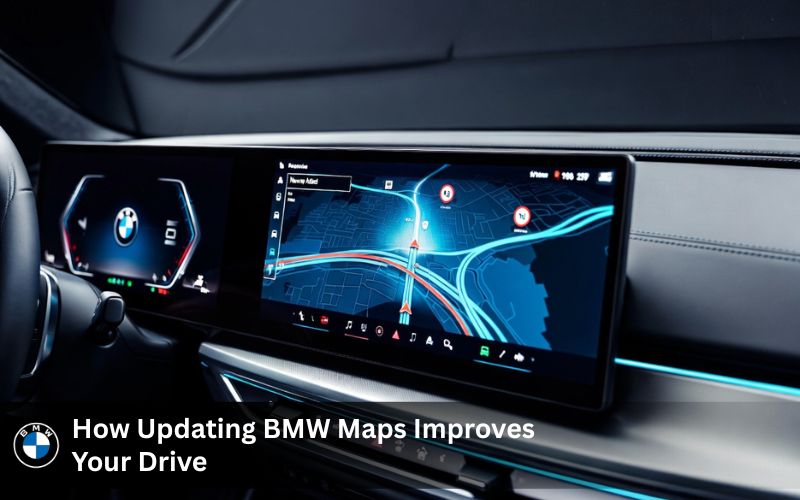
A fresh BMW map update does more than correct wrong turns. It sharpens every layer of your drive. Your iDrive system pulls from accurate road geometry. Your navigation maps show current speed zones. Your estimated arrival times actually match real driving. For anyone who drives frequently, whether it is daily commuting or long road trips, a new map update makes a real difference you notice from the first trip.
BMW Navigation Maps vs. Google Maps – Which One Wins?
Both have their strengths. But for BMW drivers there is a clear difference in how each one works inside the car.
| Feature | BMW Navigation Maps | Google Maps |
|---|---|---|
| iDrive Integration | Full native support | Limited via CarPlay |
| Offline Access | Yes – works without signal | Requires download or data |
| HUD & Cluster Display | Yes – full display support | No native HUD support |
| Real Time Traffic | Yes via ConnectedDrive | Yes via data connection |
| Speed Limit on Display | Yes with Speed Limit upgrade | Limited |
| Map Region Support | Yes – region change available | Auto based on location |
| Works Without Phone | Yes | No |
BMW’s built in navigation wins when you want a seamless experience that is fully tied into your vehicle’s interface. Google Maps works when you want live search. For long drives without reliable data your BMW navigation system is the better call every time.
How to Update BMW Maps – Two Simple Methods
There are two main ways to update BMW maps and both are straightforward. You can do it through a USB drive or through your BMW ConnectedDrive account depending on your model and navigation system type.
How to Update BMW Maps with a USB Drive – Step by Step
The USB map method works for most BMW models and is the most widely used approach. Here is how it works from start to finish.
- Check your VIN on bimmernaviupdates.com to confirm which map version your vehicle supports
- Purchase your BMW map update 2026 and download the map files or receive a pre loaded USB drive
- Format your USB stick correctly before copying files. Use FAT32 for Premium Maps and exFAT for NEXT EVO WAY and ROUTE maps. A 64GB USB is recommended for larger update packages
- Copy the map files from the download folder to your USB stick
- Insert the USB into your BMW‘s port. It is usually in the glove compartment or center armrest
- Your iDrive screen will detect the usb map and show an on screen prompt to begin the update
- Enter your FSC code when asked and follow the steps to complete the navigation map update
- Once done your system restarts with the latest map version active
| Map Type | USB Format | Typical Size | Compatible Systems |
|---|---|---|---|
| Premium Maps | FAT32 | 8–12 GB | Business Navigation |
| NEXT Maps | exFAT | 22–30 GB | Professional Navigation |
| EVO Maps | exFAT | 15–20 GB | NBT EVO ID4 / ID5/6 |
| WAY / ROUTE | exFAT | 10–18 GB | Entry Nav EVO |
| LIVE Maps | exFAT | 10–15 GB | MGU Systems |
How to Update BMW Maps Over the Air via BMW ConnectedDrive
Newer BMW models with OS 7.0 or higher can receive a navigation update wirelessly through ConnectedDrive. Log into your ConnectedDrive account. Check for available map north or regional packages. Once a new map update is ready your system will show a notification and you can approve the download directly. The automatic map update runs in the background so you do not have to do anything manually. This is the cleanest option if your model supports it.
How to Find Your Current BMW Map Version Before Updating
Before you buy any update package you need to know which map version is already on your vehicle. Here is how to check it using the BMW iDrive system.
Go to your iDrive home screen. Select Navigation. Then go into Settings and look for Map Version or Software Information. Your current map version number will appear there. Once you have it you can match it against the latest map versions available on bimmernaviupdates.com to see exactly what update you need.
BMW Map Update USB – Common Errors and How to Fix Them
| Error | Likely Cause | Fix |
|---|---|---|
| USB Not Detected | Wrong format or cheap USB | Reformat to FAT32 or exFAT and retry |
| Compatibility Error | Wrong map version for your model | Verify your VIN on our site |
| FSC Code Rejected | Mistyped code or wrong vehicle | Double check and avoid mixing 0 with O |
| Slow Download | Weak connection | Switch to a stable Wi Fi connection |
| Update Stops Mid Way | USB disconnected or power issue | Keep engine running and USB inserted |
Are BMW Map Updates Free? Here’s What You Need to Know
This is one of the most searched questions for BMW owners and the answer depends on your model and subscription status.
What BMW Offers for Free vs. What You Pay For
BMW does offer limited free online map updates for some newer models through ConnectedDrive. But these free updates are often partial and not available for every model. If your car runs an older head unit like NBT or CIC you will not get a free automatic map update. You will need to pay for it either through a dealer or through an independent provider like Bimmer Navi Updates.
Owners of vehicles from 2010 through around 2020 or 2021 typically need to purchase their BMW map download separately. The cost at a dealership can be high and the process is slower. That is why many drivers choose to update the maps themselves using a trusted third party service.
How to Update BMW Maps Without Going to the Dealership
You do not need to visit a dealership to get a proper BMW maps update. At Bimmer Navi Updates you can buy your update online, download it directly and install it at home. No appointments. No waiting. No dealership markups. The download manager on our site makes finding the right map files for your model easy. Just enter your VIN and the system points you to the right update package.
Get the Latest BMW Navigation Map Updates – Products Built for Every BMW
Whether you drive an older BMW i3, a mid range 5 Series or a newer X7 we have the right navigation map updates ready. Below are the products that get you updated fast.
BMW Maps Update 2026 – NEXT, EVO, PREMIUM, ROUTE, WAY and LIVE
Our full map store carries every major BMW map type available today. The BMW maps update 2026 lineup covers all current navigation systems sold in the US market.
| Map Type | Navigation System | USB Format | Best For |
|---|---|---|---|
| NEXT Maps | Professional Navigation | exFAT | Latest BMW models |
| Premium Maps | Business Navigation | FAT32 | Mid range models |
| EVO ID5/6 | NBT EVO ID5/6 | exFAT | F and G Series |
| EVO ID4 | NBT EVO ID4 | exFAT | Older F Series |
| WAY Maps | Entry Nav EVO | exFAT | Entry level models |
| ROUTE Maps | Entry Nav EVO | exFAT | Budget nav systems |
| LIVE Maps | MGU Systems | exFAT | MINI and select BMW |
Each update package includes the latest map data for the US region and comes with clear install instructions.
BMW Map Update for 2010–2024 Models – Find Your Fit
If your BMW is from 2010 through 2024 you are covered. This page helps you find the right BMW map update based on your exact model year. Whether you have a new BMW from 2023 or a well maintained 2015 model the map data and install steps are all laid out clearly. Each subsequent update you do becomes faster and easier once you know your system.
Maps for Lifetime FSC Customers – One Code, All Future Updates
The lifetime FSC option is one of the smartest purchases a BMW driver can make. An FSC code is the activation key your BMW needs to accept a navigation update. When you buy a lifetime code you only need to enter it once. After that every subsequent update only requires new map files. No new code per year. No repeat trips to a dealer. Just buy the map and install it.
Ethernet Adapter
-

BMW 1 Series
Price range: $ 44.99 through $ 74.99 -

BMW 2 Series
Price range: $ 44.99 through $ 74.99 -

BMW 3 Series
Price range: $ 44.99 through $ 74.99 -

BMW 4 Series
Price range: $ 44.99 through $ 74.99
3 in 1 BMW Ethernet Adapter – Faster BMW Map Downloads via USB
The 3 in 1 Ethernet Adapter is built for BMW drivers who want a faster and more stable download experience. Instead of relying on wireless signal during a large BMW map download you connect directly through Gigabit Ethernet. It supports USB expansion and device charging too. It is compatible with F Series and G Series models and works with both USB A and USB C ports. A clean solution for anyone who wants their update done right the first time.
BMW FSC Code and Feature Installer – Activate Your Map Update in Minutes
The FSC Code and Feature Installer makes activating your BMW map update fast and simple. Once you get your FSC code you enter it into your iDrive system when the on screen prompt appears during the update. The installer also supports additional feature coding for compatible vehicles so you get more out of your BMW beyond just maps.
Features and Benefits of Updating Your BMW Navigation Maps
Accurate Routes with 85,000+ km of New Roads Added
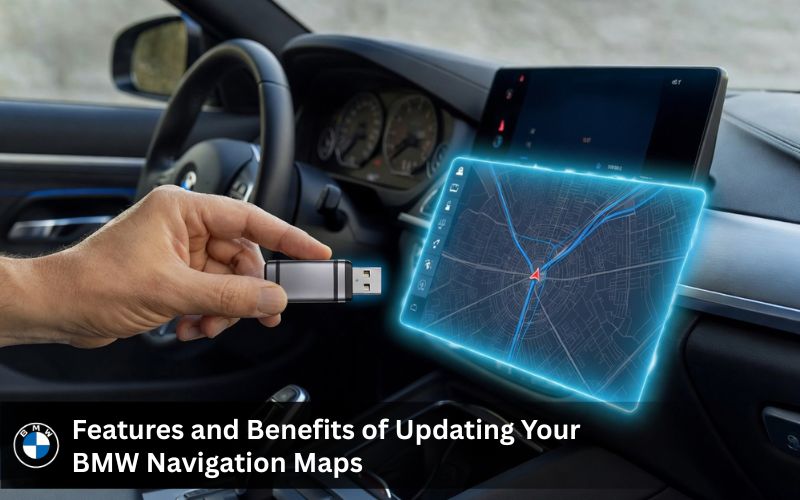
Every year BMW releases fresh map data that reflects real changes on the road. The BMW maps update 2026 adds over 85,000 km of new roads across North America. That means fewer wrong turns, better route suggestions and navigation that actually keeps up with how roads look today. Whether you are using a BMW i3 in the city or an X5 on the highway your navigation will now match what you see out the window.
BMW Maps with Speed Limit Information on Your HUD and Speedometer
One of the most practical upgrades in any BMW map update is speed limit display. When you update the maps on a compatible vehicle the system can show current speed limits directly on your instrument cluster or head up display. This feature pulls from the map data and shows the current map region’s limits in real time. It is helpful on unfamiliar roads and keeps you aware without looking at your phone.
Save Fuel with Smarter and More Efficient Route Planning
Outdated navigation maps often take you the long way around. A current BMW map update recalculates routes based on today’s road layout. Shorter paths mean less fuel burned per year. For drivers who cover long distances regularly, the savings from smarter route planning add up over time. It is a simple benefit that pays for the update many times over.
How Updated Maps Keep Your BMW’s iDrive Features Running Smoothly
Your iDrive system is designed to work hand in hand with current map data. When your software and navigation maps are in sync features like lane guidance, ConnectedDrive alerts and voice navigation respond better. An outdated map version can cause delays in how your head unit processes navigation requests. A fresh navigation update keeps all of these working the way BMW intended them to.
How to Change BMW Map Regions – Perfect for Imported BMWs
If you bought your BMW from another country your navigation system may still be locked to a different map region. That means your navigation maps are showing roads from a completely different part of the world. The good news is that a map region change is possible and we handle it remotely.
| Head Unit Type | Region Change Method | Notes |
|---|---|---|
| NBT EVO ID5/6 | Remote coding via our team | Requires new FSC code for new region |
| NBT EVO ID4 | Remote coding via our team | Region tied to map version |
| NBT / CIC | Remote coding or manual | May need new navigation update package |
| MGU / EntryNavEvo | Contact support | Compatible region files required |
Once your map region is updated your BMW navigation system will show the correct roads, routes and speed limits for wherever you actually drive.
What BMW Drivers Are Saying About Their Map Updates
Real Experiences from BMW and MINI Owners After Updating Maps
Real drivers. Real results. Here is what BMW and MINI owners have shared after updating BMW maps through Bimmer Navi Updates.
Sarah P. drove a regular commute for months on outdated navigation maps. After her BMW maps update she noticed her iDrive was suggesting faster routes she had never seen before. The whole update process was done in under 30 minutes at home.
Mike owns a newer model with a Professional navigation system. He had been putting off the update for over a year. After installing the BMW map update 2026 through a USB drive he said the navigation felt like a completely different system. More responsive. More accurate. Better route suggestions every time.
Jack David bought a used BMW that came with a map version from 2020. After running through our site and getting the right update package for his head unit his BMW navigation system was fully current. He said he noticed the difference on the very first drive.
Why BMW Owners Across the US Trust Bimmer Navi Updates
Authentic BMW Map Data – Not Third Party and Not Outdated
Every BMW map download on bimmernaviupdates.com comes from authentic sources. The map data matches what BMW releases officially. You are not getting a copied or repackaged file. You are getting the same latest map versions that show up on trusted community sites like bimmerpost.com and 1addicts.com when drivers share update news.
DIY Friendly Update Process with 24/7 Expert Support
Not everyone is a tech expert and that is perfectly fine. The update process is designed to be handled by any driver. Step by step video guides walk you through how to insert the usb correctly, which format to use and how to enter your FSC code. If you get stuck at any point our support team is available around the clock. Communities like e90post.com, f30post.com, m3post.com, zpost.com, 5post.com, 6post.com and 7post.com have long pointed members to trusted BMW map update services and our support model reflects that same level of commitment.
Secure Checkout, Free Worldwide Shipping and 12 Month Warranty
Every order comes with secure download access or free worldwide shipping if you choose a physical USB drive. A 14 day return policy and a 12 month warranty cover your purchase. You pay once and get the update package you need without any hidden steps.
USB or Download – You Choose How You Update BMW Maps
Some drivers prefer to download the map files right away and copy them to their own USB stick. Others prefer a pre loaded 64GB USB shipped to their door. Either way works perfectly. The update process is the same and the map data is identical. Pick the option that fits your situation and get started.
Frequently Asked Questions
1. How do I update my BMW navigation maps for free?
BMW offers free map updates through ConnectedDrive for select newer models. If your vehicle supports it you can log into My BMW Portal and check for available downloads. Older models do not qualify for free updates and will need a paid BMW map download from a trusted source like Bimmer Navi Updates.
2. How to update BMW maps with USB?
Download your map files and copy them to a properly formatted USB drive. Insert the USB into your BMW’s port and follow the on screen steps in iDrive. Enter your FSC code when asked and the update will run automatically from there.
3. Is it worth updating BMW maps?
Yes. Fresh maps mean accurate routes, correct speed limits and better fuel efficiency. Drivers who update BMW maps regularly avoid wrong turns and get the most out of their iDrive navigation system. The BMW map update cost is much lower than the time and fuel wasted on outdated roads.
4. How often does BMW update maps?
BMW releases new map data roughly once or twice a year. Checking every six months is a good habit especially if you drive in areas where roads change often. Staying current keeps your navigation reliable on every trip.
5. Are BMW map updates free?
Free updates through ConnectedDrive are only available on select newer models. Most BMW owners with vehicles from 2010 onward will need to purchase a BMW map download. Using Bimmer Navi Updates is a cost effective way to get the latest maps without dealership fees.
6. How long does the BMW map update take?
Most updates take between 5 and 30 minutes depending on your current map version and the size of the new files. Keeping your engine running and USB inserted throughout the process helps it finish without interruption.
7. How to find BMW map version?
Go to iDrive then select Navigation and open Settings. Look for Map Version or Software Information and your current version number will be listed there. This helps you match your version against the latest available update.
8. How to change BMW map regions?
A map region change requires remote coding which our team at Bimmer Navi Updates handles directly. This is common for imported BMWs that are programmed for a different country. Contact us and we sort it out without a dealership visit.
9. Can I update BMW software myself?
Yes. The BMW F30 map update free download option does not exist for most models but buying and installing an update yourself is straightforward. The BMW Download Manager USA is used for official portal downloads. For a simpler process Bimmer Navi Updates sends you the files with clear steps.
10. How to update BMW maps without using the dealership?
Buy your update from Bimmer Navi Updates. Download the map files or get a pre loaded USB drive. Follow the install steps at home using your iDrive screen. No dealership appointment needed and no extra fees attached.
Ready to Update Your BMW Maps? Here is Your Next Move
How to Get Started with Your BMW Navigation Map Update Today
Head over to this page to see your full options for updating BMW maps. Enter your VIN to confirm compatibility. Pick the right map version for your BMW navigation system. Choose USB delivery or download. Then follow the simple steps to get your navigation current. The whole process from order to finished update takes less time than a single trip to a dealership.
Still Have Questions About Updating BMW Maps? We Are Here for You
If you are not sure which map type fits your vehicle or how to handle a tricky map region situation just reach out. Our FAQ page covers the most common questions about BMW map updates and our contact page connects you directly to our team. There is no need to post on bimmerpost.com or search through 1addicts.com threads when you can get a direct answer fast.